Professional OST Recovery and Conversion - 2in1 Program with [Verified by Microsoft MVPs]
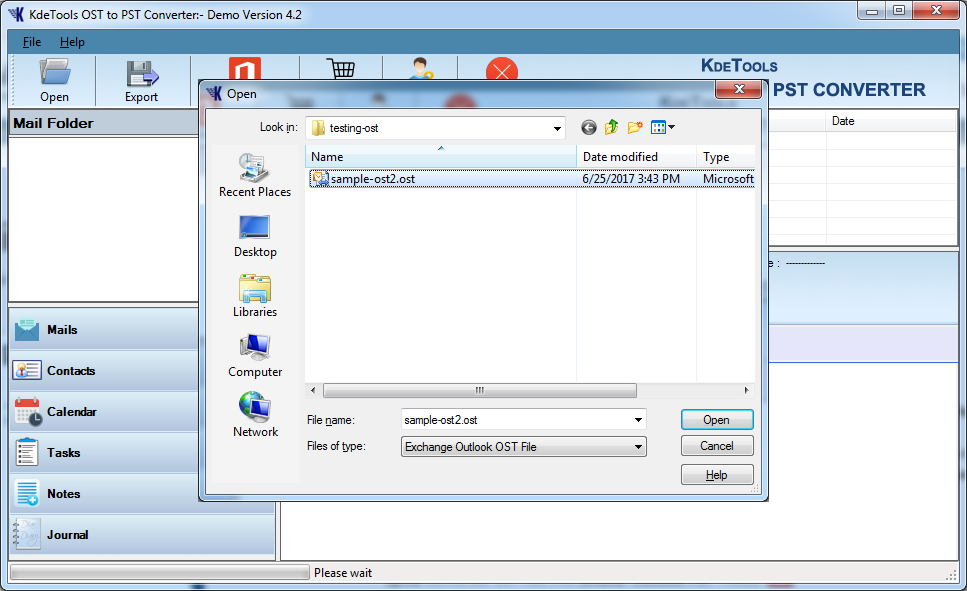
Proficient Ultimate OST to PST Converter tool offers an advanced solution for managing and converting offline OST files to PST without size restriction. Microsoft OST to PST Converter tool designed for fastest speed with dual-method option to repair corrupt or inaccessible OST files and Converting Offline OST files into more formats like MS Outlook PST / MOBX for Thunderbird / HTML / PDF / NSF for Lotus Notes /EML / vCard for Contacts / ICS for Calendar / TGZ / OLM / Office 365 / Exchange server / Gmail IMAP and Gsuite / Yahoo / Rediff / Godaddy / Hostgator / Zoho in a trouble-free manner.
When to Use KDETools OST to PST Converter?
![]()


Key Features of the OST File to PST Converter
The software is presented as a professional, all-in-one solution for handling OST files.

Differences Between OST and PST Files?

How to Fix OST File Is In Use And Cannot Be Accessed
There are many limitations of OST files as they can get corrupt, damaged, and reflect many errors while using Outlook. If a user receives a pop-up message displayed on the screen, 'OST File is in Use and cannot be accessed', then don't panic as we have mentioned a professional solution to fix this error. We have also listed the reasons behind the error in this blog. Read More...
OST File Cannot Be Opened Error in Microsoft Outlook
the trouble become so big that error comes up OST File Cannot Be Opened Outlook. This trap Outlook users badly and they look for some spontaneous help. However, simply jumping into conclusion does no good in the long run instead you must be aware of possible reasons for such error based cases so that when next time you find error. Read More...
Outlook Data file cannot be accessed (Error 0x8004010F)
There are situations when the user faces an error and are unable to access their files. The error could be due to several reasons, but when the user receives a pop-up message, '0x8004010F: Outlook data file cannot be accessed' don't panic as it can be resolved. Read More...
How to Move OST file to Another Location?
How to move .OST file to another location? Make Transfer OST file into another location through external application like OST to PST Converter. This is a known application used prominently for transfer and move OST file to another location in few easy steps. Read More...

Advance OST Converter Properties to Instantly Export Offline OST to Multiple Formats
Convert OST files to Several formats
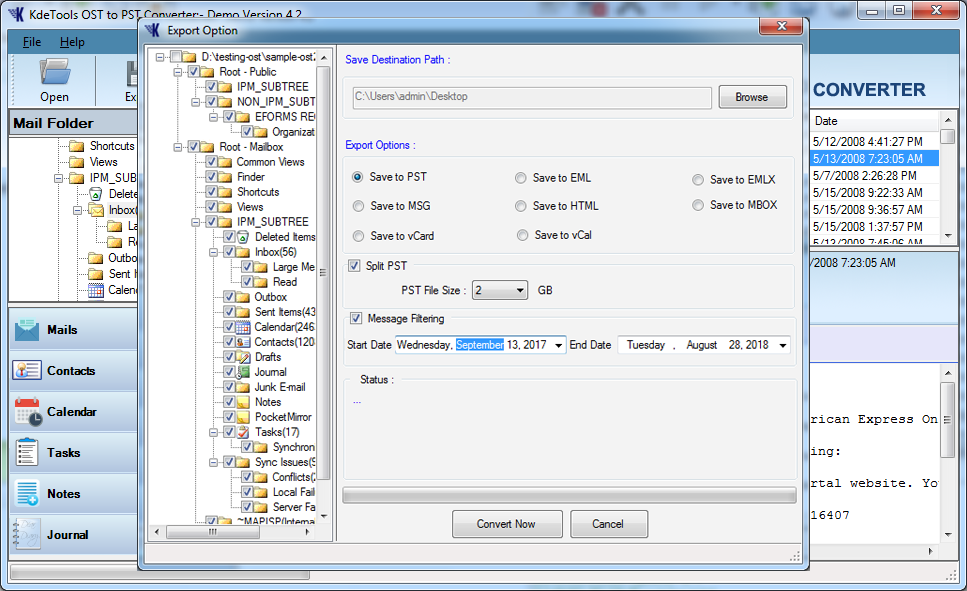
The OST file Conversion tool allows you to export data from the offline OST file and import it directly into several popular formats, including Outlook PST, MBOX, MSG, HTML, EML, EMLX, vCal, and vCard and guarantees a safe conversion process without losing any file.
The OST to PST Converter tool provide you to Migrate OST to Mail Server such as: Outlook.com, Exchange Server, Office 365, Apple for Mac, Thunderbird, Windows live mail, Godaddy, Yahoo, Hostgator, Outlook.com, Hotmail.com by using OST to PST Converter tool. After the conversion and Perform these easy steps:


Direct Migrate OST to Office 365 / Microsoft O365
The OST to Office 365 Converter to direct migrate OST mail to Office 365 account after filling all the necessary details such as Username, Password, and etc. From the available options, the user needs to click on the 'Office 365' option.
The software has advanced algorithms that allow the user to directly convert their OST data to various Office 365 plans such as Pro Plus, Business, and Enterprise E1, E3, and E5. After converting the OST files to Office 365 account, the users can easily access the data.
Software is embedded with highly secured techniques, which provides complete data security.
Direct Convert OST to Exchange Server [Online]
The OST to Exchange converter converts OST files to Live Exchange Server account directly. The user just needs to click on the 'Live Exchange Server' options from the displayed options. After filling the correct login details such as username and password, the user can access the data without any hindrance.
The tool ensures a positive result and performs a safe conversion of OST files to Live Exchange server.
*This Software is embedded with highly secured techniques, which provides highly complete data security.

More Key Features – KDETools OST to PST Converter Tool

Bulk OST Mailbox Migration [All in One].
Bulk PST Mailbox Migration
The OST to PST Converter is a Batch OST to PST Migration tool that allow the user to convert multiple OST files to PST format at once. The user can select numerous files and the tool will convert in one go without any modifications.
Add Single OST File: This option enables the user to create OST file to separate PST file
Add Multiple OST files: This option allows the user to merge numerous PST folders into a single OST folder. .

Quick Migrate OST to Gmail | Gsuite | Google WorkSpace
OST to Gmail Migration - the users can execute a safe yet fast migration from OST to Gmail, Google Drive, and GSuite. The OST to Gmail Migrator software enables the users to directly migrate OST to Gmail, GSuite, and Google Drive without deleting a single mailbox item. The users can migrate their entire OST mailbox items to Gmail and GSuite after submitting their respective account details correctly.
Transfer OST to MBOX for Thunderbird
Transfer OST to MBOX Migration for Thunderbird, Apple for Mac
The users can also perform a secure and successful conversion by using the OST to MBOX Converter to convert OST to MBOX file format directly. The users after launching the powerful software on their system can select the desired OST items which they wish to convert to MBOX format at the desired location. The users need to implement a few basic steps and complete the conversion process from OST to MBOX in no time.
Splits high large PST Files by Size
The OST Splitter to Splits the resultant Large PST files into a small file: Split By Size: The tool enables the user to split the PST file size starting from 1 GB to 25 GB. The user needs to select the file size depending on their requirements..
*You can also combine all these options for better file management and split the file as per Size from the given data range.
Converts OST Contacts to vCard Individually
The OST Contacts to PST Converter to converts multiple OST contacts to vCard only [Contacts/Address Book] format. The tool performs a secure conversion of OST contacts to the vCard format without data loss. By using the tool, the user can view the contact details such as name and date of birth.
The tool allows the user to migrate OST contacts such as business number, home, and primary to vCard format.
Converts OST Calendars to vCal Individually
The OST Calendar to PST Converter Tool allows the user to convert multiple OST calendar items to vCal only [Calendar] format safely. By using the tool, the user can migrate to the Calendar Attachments, Data, Meetings, Appointments, and etc. to vCal file type without altering the data.
The OST Calendar to PST Converter software ensures a 100% conversion of data without any changes.
Retains The Original Structure Of Meta-data And Folders
The OST to PST converter retains the original structure of MetaData of an email such as From, Date, Subject, To, Cc, Bcc, and etc. After converting the OST files to PST format, the user will notice that the original structure of MetaData does not alter. The advanced software also does not change the original form of the folder structure even after completing the conversion process.

*There will be no changes made in the internal hierarchy of emails or folders and Meta properties.Maintains the HTML Formatting
Maintains the HTML Formatting
The OST to PST Converter maintains the HTML formatting while converting the data. The efficient tool retains the inline images and the HTML formatting once the conversion process is finished. The software also maintains the SMTP Header and the images used in the message intact.
Once the conversion of OST files to PST format is over, you will notice that the HTML formatting does not alter.

Display Preview OST Items
Supports Preview OST Items
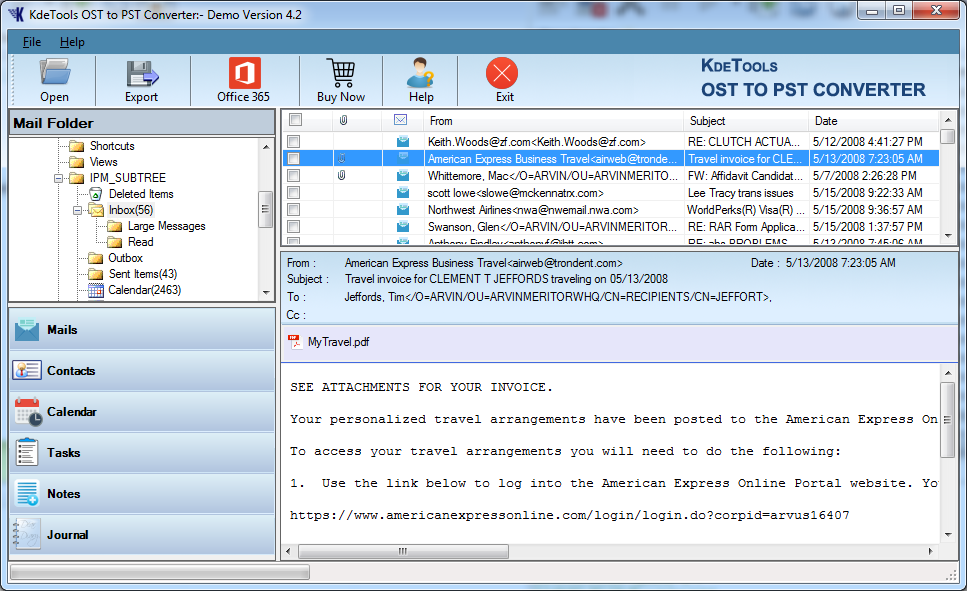
The user can get a free preview of the entire selected data by using the 'Preview' option. The converter allows the user to preview OST file data before starting the conversion process. The OST to PST converter has an advanced feature that allows the user to double-check the content before converting the files.

*Display Preview facility is available in the Both Demo or Paid Version, which enables you to Preview Complete OST items.Recovers and Converts Inaccessible OST Files
Recovers and Converts Inaccessible OST Files
This application provides advanced scanning and OST recovery options and helps the users to recover items from Corrupted/Damaged, Highly-encrypted, and password protected OST files.
**Software automatically detects and fixes OST corruption issues..Supports Convert OST | PST | NST Files [Technician]
Supports Preview OST Items
The tool provides multiple functionalities so that the users can easily complete all their requirements in a single place.
*The tool easily converts PST, OST, and NST files to the desired file format along with that you can also move these files to Mail Servers such as Office 365 and Exchange Server.Supports All Microsoft Outlook Edition
Supports All Microsoft Outlook Edition
The Outlook PST converter software supports all Microsoft Outlook, Windows and Exchange editions to export Outlook PST files.
Microsoft Outlook: Supports all versions Outlook 2016 // Outlook 2013 // Outlook 2010 // Outlook 2007 // Outlook 2003
Microsoft Exchange Server: Supports all versions 2016/ 2013/ 2010/ 2007/ 2003 (SP1, SP2, and SP3)
Microsoft Windows: Windows 11, 10, 8.1, 8, 7, Vista, XP

Software Specifications
| System Requirement |
Processor Intel® Pentium 1 GHz processor(x86,x64) or equivalent |
Operating System Windows 10, 8.1, 8, 7, Vista, XP |
Memory 512 MB Minimum |
Hard Disk 50 MB of free space |
||||
| Electronic Delivery |
License Electronic Delivery The product will automatically delivered. Once the payment is received, you will get an email with the activation link that will contain the key to upgrade the license. |
|||||||
| Interface Available |
Windows OS Windows 11, 10, 8.1, 8, 7, Vista, XP |
Mac OS Monterey, Big Sur, Catalina, Mojave, High Sierra, Sierra, El Capitan, Yosemite |
||||||
| Download Guides |
eula.pdf Help Manual Install/Uninstall | |||||||

Frequently Asked Questions (FAQs)
Yes, you can follow these steps to Convert OST to 25+ different file formats
The OST (Offline storage table) file is the local copy of a user mailbox, which is stored on the Exchange server. By default, you can find the .ost file on the following locations:
drive: \Users\\AppData\Local\Microsoft\Outlook
drive: \Documents and Settings\\Local Settings\Application Data\Microsoft\Outlook
![]()
D - 478, Sector - 7,
Dwarka, New Delhi - 75,
India
Call Us:
91-9555514144
Useful Links
About Us
Legal Policy
Privacy Policy
Refund Policy
Quality Policy
Sitemap
Find Us
![]()
![]()
KDETools Software® is the Registered Trademark of KTools Software Pvt. Ltd.
© Copyright 2019 www.kdetools.com. All Trademark Acknowledged.